 Basic computer vocabulary everyone should know:
1. HARDWARE All the parts of the computer that you can touch: the monitor, CPU, printer, mouse, and keyboard.
2. SOFTWARE Another word
for programs, instructions for
the computer that help it do
different tasks.
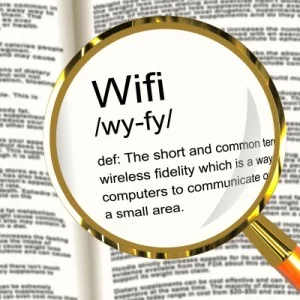
3. WI-FI Wireless communication between computers and other computer related devices (no connecting cords)
4. OPERATING SYSTEM (OS) The background software that directs all of a computer’s operations – controlling and scheduling the execution of other programs, and managing storage, input/output, and communication resources.
5. APPLICATION Another word for a program or software.
6. MOUSE The tool you use to tell the computer what to do. For example
you can open programs and files by clicking or double clicking.
7. CURSOR The line or arrow that you control by moving the mouse.
8. CLICKING Pointing to something on the screen and then pushing the button on the mouse is called clicking.
9. HIGHLIGHT/SELECTING Click and drag across a word or sentence to highlight it. When it is highlighted you can make changes to it.
10. LAPTOP A portable computer that you can carry with you.
11. DESKTOP The screen you see first when your computer turns on.
This screen usually has a bunch of icons showing on it.
12. PC (personal computer) A computer that is made to use the Windows operating system. There are two basic kinds of computers: PCs and Macs.
13. MAC (Macintosh) A computer that is made to use the Macintosh operating system. There are two basic kinds of computers: PCs and Macs.
14. MONITOR Your computer’s screen.
15. KEYBOARD Like a typewriter, it’s where you type and enter numbers.
It is one way to tell the computer what you want it to do.
16. CPU (central processing unit) Where all of the information you put into the computer is stored.
17. ICON Symbols or pictures that you can click on to perform an action. Each program has its own icon.
18. FILE A piece of computer information such as a document or part of a computer program.
19. DOCUMENT Anything you create in a word processing program (Microsoft Word) is called a document.
20. FOLDER Like a file folder in a filing cabinet, a folder on your computer is where electronic documents (letters, spreadsheets, etc.) are kept.
Image courtesy of Stuart Miles at FreeDigitalPhotos.net